If you searched how can shotscribus software help the environment, there is an important detail to clarify first: “Shotscribus” does not appear to be a verified standalone software product. Current search results largely use the term when discussing Scribus, the established open-source desktop publishing application.
Shotscribus is not a verified standalone software product. The term appears to refer to Scribus, an open-source desktop publishing program. Scribus can indirectly support greener workflows by allowing users to review layouts digitally, identify errors before printing, and create print-ready PDFs, potentially reducing unnecessary paper, ink, and reprints.
That distinction matters because there is no reliable evidence that a separate program called Shotscribus has environmental features. However, if you mean Scribus, the software can support more sustainable publishing practices.
The environmental benefit comes mainly from how the software changes the design and printing workflow. Users can work on layouts digitally, check documents before printing, and produce PDF files for digital review or professional printing. These steps can help prevent unnecessary reprints and wasted materials.
What Is Shotscribus?
The name “Shotscribus” appears across a number of recent web pages, but the available evidence does not establish it as an official software project with its own developer, documentation, or verified product history.
Instead, many pages using the term describe functionality associated with Scribus. Scribus is a legitimate open-source desktop publishing application designed for creating documents such as brochures, newsletters, magazines, posters, and other page-layout projects.
So, throughout this article, “Shotscribus” should be understood as the search term people may use when they actually mean Scribus.
If a website offers a separate “Shotscribus” installer, users should verify the software’s developer and download source before installing it.
How Can Shotscribus Software Help the Environment?
The strongest environmental argument is not that the software itself is “green.”
Instead, a desktop publishing program can help users avoid unnecessary physical materials during the design process.
Scribus provides tools for page layout, color management, PDF creation, and print preparation. These features allow designers to inspect and prepare a document digitally before sending it to a printer.
That can make several environmentally useful workflow changes possible.
1. It Can Reduce Unnecessary Draft Printing
One of the simplest ways a design workflow can create waste is by printing every revision.
Imagine a business preparing a brochure. A designer may need to correct text, move an image, change spacing, or adjust colors several times before the final version is approved.
If every revision is printed, each mistake can consume another sheet of paper and additional printing resources.
With a desktop publishing workflow, much of that review can happen on screen first. Scribus allows users to create and inspect page layouts digitally before producing the final output.
This does not eliminate printing, but it can reduce unnecessary printing.
2. It Can Help Prevent Printing Errors
A wrongly positioned image or missing font can make a printed document unusable.
That creates a simple environmental problem: the physical product has already been produced, but it may need to be printed again.
Scribus includes a Preflight Verifier designed to identify document problems before output. Its documented capabilities include checking aspects of a document before PDF or print-oriented output.
The environmental advantage is indirect.
If a preflight check catches a problem before production, the user has an opportunity to correct the file before paper, ink, energy, and printing time are consumed.
3. It Supports Digital PDF Workflows
Not every document needs to become a physical product.
Scribus supports PDF creation, which gives designers an option to distribute documents digitally when printing is unnecessary.
For example, a business could create a brochure and send the PDF by email instead of automatically printing copies for every recipient.
The environmental result depends on the situation. Digital files still require electronic devices and electricity, so it would be inaccurate to describe digital publishing as completely impact-free.
The more precise claim is that digital distribution can avoid the material use associated with producing an unnecessary physical copy.
4. It Can Improve Print Preparation
Scribus includes professional publishing features such as CMYK color support, color management, PDF creation, and print-related controls.
These capabilities matter because poorly prepared artwork can cause printing problems.
A properly prepared file can be checked before it reaches the printing stage. This can reduce the possibility of producing a physical run that fails because of an avoidable design or technical error.
The environmental benefit therefore comes from better preparation rather than from a special environmental function inside the software.
5. It Can Help Businesses Control Print Quantities
Software cannot decide whether a business orders 100 copies or 10,000 copies.
That decision belongs to the user and the printer.
However, better digital workflows make it easier to review and approve a design before committing to a large print run.
For example, a company can:
- Create the layout digitally.
- Review the document on screen.
- Correct design problems.
- Export the final PDF.
- Approve a suitable quantity.
- Print only the required number of copies.
This approach can help reduce overproduction.
Paper production and printing have environmental costs involving materials, energy, water, emissions, and waste. Government environmental guidance identifies these impacts across the paper and printing lifecycle.
What Environmental Problems Can Better Publishing Workflows Reduce?
It helps to separate the environmental effects of software from those of printing.
The software does not remove the environmental impact of paper production or printing.
Instead, it can help users avoid some unnecessary activity.
| Workflow problem | Possible environmental benefit |
|---|---|
| Printing every draft | Fewer draft copies |
| Reprinting incorrect layouts | Fewer failed print jobs |
| Printing documents that could be digital | Less physical material use |
| Sending incorrect files to a printer | Better preparation before production |
| Producing excessive copies | Better control over print quantities |
These are workflow benefits, not guarantees.
The actual result depends on how the software is used.
Why Paper Reduction Matters
Paper is not environmentally neutral.
Paper and paperboard production involves resource use and waste management. The European Environmental Protection Agency’s 2024 green public procurement criteria identifies impacts associated with paper products including forest resources, water consumption, energy consumption, emissions, and waste.
The U.S. Environmental Protection Agency has also documented the substantial quantity of paper and paperboard entering the municipal solid waste stream. Its historical 2018 data estimated 67.4 million tons of paper and paperboard generation in municipal solid waste.
This is why reducing unnecessary printing can be useful even when the individual savings from one document appear small.
A single avoided reprint may not seem significant.
Thousands of avoided reprints across offices, schools, publishers, and businesses can represent a different scale of material use.
Does Shotscribus Make Printing Environmentally Friendly?
No.
This is an important distinction.
If “Shotscribus” means Scribus, the software can help with better planning and preparation, but the final environmental impact still depends on what happens after the design is created.
A printed brochure still requires paper.
A commercial print job still uses energy and printing materials.
Ink and other printing processes can also have environmental impacts. The EPA notes that printing operations can involve emissions associated with solvents and inks, although the exact impact varies by printing technology and materials.
Therefore, the software should not be described as an environmental solution by itself.
It is better understood as a tool that can support a lower-waste workflow.
Can Digital Publishing Have an Environmental Impact Too?
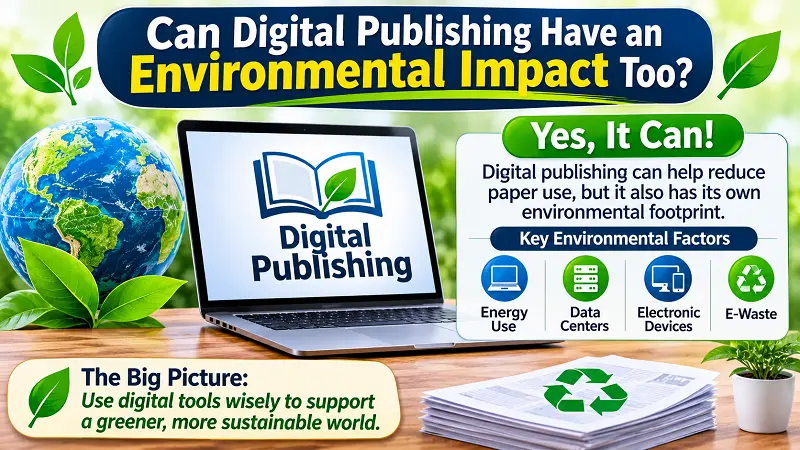
Yes.
Replacing paper with digital files does not mean that the environmental impact becomes zero.
Digital publishing requires electronic devices, electricity, and digital infrastructure.
The United Nations Conference on Trade and Development notes that digitalization also has environmental impacts across the lifecycle of ICT equipment, including energy use, production, and end-of-life waste.
This creates an important balance.
If someone avoids unnecessary paper printing by reviewing a PDF on an existing computer, that may prevent material use associated with printing.
But buying new hardware unnecessarily just to support a digital workflow creates another environmental cost.
The most sustainable approach is therefore not simply “digital instead of paper.”
It is using the appropriate medium and avoiding unnecessary resource consumption.
How to Use Scribus for a More Sustainable Workflow
If you are using Scribus for publishing, a few practical habits can make the workflow more resource-conscious.
Review on Screen First
Complete as much proofreading and design review as possible digitally.
Check text, images, spacing, page order, and layout before producing physical copies.
Use Preflight Before Final Output
Run the available preflight checks before sending a document to production.
This gives you an opportunity to identify technical problems before they become printing problems.
Create a Digital Proof
Export a PDF for internal review when a physical proof is unnecessary.
Team members can review the same file without each person receiving a printed draft.
Print Only When There Is a Reason
Some documents need physical copies.
Others do not.
Ask whether the document genuinely needs to be printed before producing it.
Order an Appropriate Quantity
Avoid automatically ordering more copies than the audience requires.
A smaller, well-planned print run can prevent unused copies from becoming waste.
Keep Hardware in Use Longer
The environmental impact does not stop at paper.
Computers and other electronic devices also consume energy and eventually become electronic waste. UNCTAD highlights the environmental effects associated with ICT production, use, and end-of-life management.
If existing hardware is capable of handling the publishing workflow, replacing it solely for a minor software preference may not be the most sustainable choice.
Is Scribus Better for the Environment Than Other Publishing Software?
There is not enough evidence to make a blanket claim that Scribus is environmentally superior to every other publishing application.
Scribus is open-source and designed for desktop publishing, but that alone does not establish a specific environmental advantage.
The environmental outcome depends much more on the workflow.
For example, using any publishing application to create a digital proof and avoid ten unnecessary print runs can potentially be more resource-efficient than using another application while printing every draft.
The behavior matters more than the software brand.
What Is the Biggest Environmental Benefit?
The most defensible answer is waste prevention during the design and approval process.
Scribus can give users the ability to create layouts, inspect documents, prepare PDFs, and use preflight checks before physical production.
Those capabilities can support fewer unnecessary drafts and fewer avoidable printing mistakes.
However, there is no independent study establishing a specific amount of paper, carbon emissions, water, or energy that Scribus saves.
Therefore, claims such as “Scribus saves thousands of kilograms of paper” should not be repeated unless they are supported by a credible study or documented measurement.
A Practical Example
Consider a small organization preparing a 12-page annual report.
Under a wasteful workflow, every revision could be printed for review.
Suppose the team changes the document several times before approval. Each round requires paper, ink, printer energy, and staff time.
A more efficient workflow would keep the document digital during most of the review process.
The team could:
- Build the layout in Scribus.
- Review the document on screen.
- Correct text and images.
- Run preflight checks.
- Export a PDF.
- Share the PDF with reviewers.
- Print only the approved version.
The software does not make the final printing environmentally harmless.
It simply helps move more of the error-prone work into a digital stage where mistakes can be corrected without immediately consuming physical materials.
Common Misconceptions About Shotscribus and the Environment
“Shotscribus is an eco-friendly software product.”
This has not been independently established.
The term itself does not appear to represent a verified standalone software project. The environmental discussion is more accurately connected to Scribus and digital desktop publishing.
“Digital files have zero environmental impact.”
They do not.
Digital devices, electricity, infrastructure, and electronic waste all have environmental consequences.
“Scribus eliminates paper waste.”
It does not.
It can help reduce unnecessary printing, but users may still print documents.
“Using Scribus automatically makes a business sustainable.”
It does not.
Sustainability involves purchasing, production, transportation, energy use, waste management, and many other decisions.
So, How Can Shotscribus Software Help the Environment?
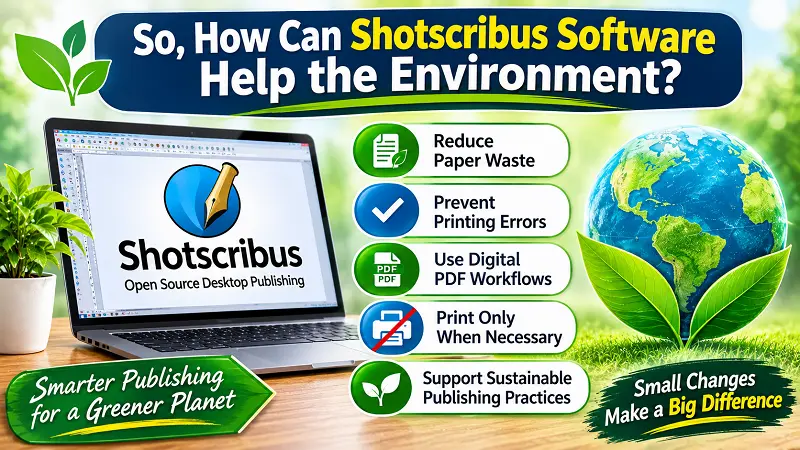
The most accurate answer is indirect.
If the term “Shotscribus” refers to Scribus, the software can support environmentally conscious publishing by helping users work digitally, review layouts before printing, identify certain problems before output, and create PDFs for digital distribution.
These practices can reduce unnecessary paper, ink, energy, and reprinting in appropriate workflows.
But the software itself is not an environmental technology.
Its environmental value comes from how people use it.
The strongest approach is simple: keep drafts digital when possible, check files before printing, avoid unnecessary copies, choose appropriate print quantities, and keep digital hardware in use responsibly.
That makes the environmental argument more realistic and useful than claiming that a piece of publishing software is automatically “green.”
7. FAQ Section
Is Shotscribus a real software program?
There is currently no reliable evidence establishing “Shotscribus” as a verified standalone software product. The term is commonly associated online with Scribus, a legitimate open-source desktop publishing program.
How can Shotscribus software help the environment?
If the term refers to Scribus, it can indirectly support greener workflows by reducing unnecessary draft printing, helping users check layouts before production, and allowing documents to be shared as PDFs when physical copies are unnecessary.
Does Scribus eliminate paper waste?
No. Scribus does not eliminate paper use. It can help users avoid unnecessary printing and reprinting, but physical documents still require paper and printing resources.
Is digital publishing completely environmentally friendly?
No. Digital workflows still require electricity, computers, storage, and other infrastructure. ICT equipment also has environmental impacts during production, use, and disposal.
Does Scribus have environmental features?
Scribus is not an environmental management application. Its relevant benefit comes from publishing features such as digital layout, PDF creation, and preflight checking that can support more efficient print workflows. See more